Swinefoot Custom Media
Posted:
21st Feb 2026
Game:
Stronghold Crusader
Category:
Modifications
Views:
644
Downloads:
93
Difficulty:
Easy
Balanced:
N/A
Missions:
N/A
No of Players:
N/A
Map Size:
N/A
Use of AI:
File Size:
25.32 MB
Made With:
v1.0 DE
Updated:
13th May 2026 22:01
Updated by:
By Sir Windows
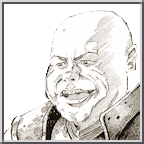
Custom media assets (videos, text and voice lines) for the custom lord Swinefoot in English and German.
How to install:
- Download SwinefootCustomMedia.zip
- Unpack wherever you want
- Open either the German or English folder
- Copy the folder named Swinefoot into C:\Users\YourUsername\AppData\LocalLow\Firefly Studios\Stronghold Crusader Definitive Edition\CustomMedia
- Test if the sounds are working by adding Swinefoot into a skirmish match
It's important that the folder containing the video/audio files in /CustomMedia is called Swinefoot. Otherwise the game won't recognize them.
Workshop link to Swinefoot: https://steamcommunity.com/sharedfiles/filedetails/?id=3670459126